How to Count Calories for Meal Prep Accurately
Tartalomjegyzék
Main Takeaways
The most accurate way to count calories for meal prep is to calculate the nutrition of the entire recipe first, then divide the cooked food by weight.
The basic process is:
- Weigh all ingredients raw.
- Log them in a custom recipe.
- Cook the full batch.
- Weigh the final cooked food.
- Divide by the number of portions.
- Log each container based on the batch totals.
This avoids the biggest meal prep mistake: guessing portions by sight.
Once you use the raw-to-cooked method a few times, it becomes quick, repeatable, and much more accurate than eyeballing your containers.
How to Count Calories for Meal Prep Step by Step
Counting calories for meal prep is easiest and most accurate when you do the math before the food is cooked and portioned. The most common mistake is cooking a large batch, dividing it visually into containers, and assuming each container is equal.
That usually does not work.
Before you start meal prepping, it helps to know your personal calorie target. You can calculate your daily calorie intake using our online calorie calculator so you know how many calories your meals should fit into each day.
One container may end up with more chicken, more sauce, or more oil than another. Even if the containers look similar, one meal might be 400 calories while another is 600 calories.
The better method is simple:
- Weigh and log everything raw.
- Calculate the nutrition for the entire batch.
- Cook the food.
- Weigh the final cooked batch.
- Divide the cooked weight evenly into portions.
This method gives you consistent, accurate meal prep portions every time.
The Raw-to-Cooked Meal Prep Method
Step 1: Weigh Every Ingredient Raw
Before cooking, place each ingredient on a digital kitchen scale and record the weight.
Log the ingredients into an app that supports calorie tracking, such as Nutrition Tracker.
Use raw entries whenever possible.
For example, if you are cooking chicken breast, log:
Raw boneless skinless chicken breast — 600g
not:
Cooked chicken breast — guessed amount
This matters because cooking changes food weight, mostly through water loss or absorption. However, the calories do not disappear or appear because of water changes.
A 100g piece of raw chicken might weigh only 70g after cooking, but it still contains the same calories it had before cooking.
Step 2: Calculate the Grand Total for the Batch
Once all raw ingredients are logged, add up the total calories and macros for the full recipe.
For example:
| Ingredient | Calories |
|---|---|
| 4 raw chicken breasts | 1,200 |
| 2 cups raw rice | 1,080 |
| 1 tbsp olive oil | 120 |
| Total | 2,400 calories |
This 2,400-calorie number represents the entire cooked batch, regardless of how much the food weighs after cooking.
Step 3: Weigh or Tare Your Storage Bowl
Before adding the cooked food, place a large mixing bowl or storage bowl on your scale.
You can handle this in one of two ways:
Option 1: Use the Tare Button
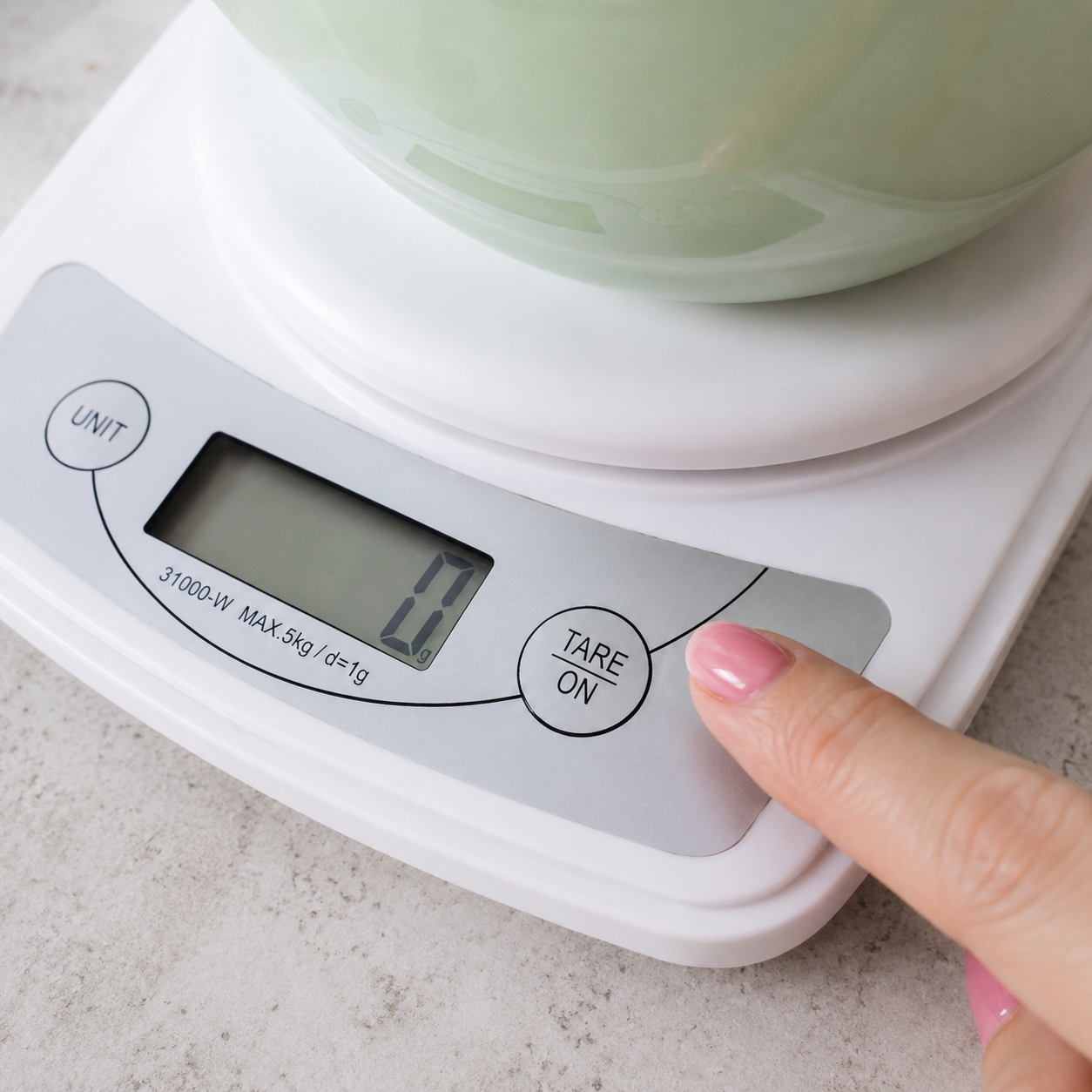
Place the empty bowl on the scale and press:
Tare / Zero
Now the scale will ignore the bowl weight and only measure the food you add.
Option 2: Write Down the Bowl Weight
If your scale cannot tare large bowls reliably, weigh the empty bowl first and write down its weight.
Later, subtract the bowl weight from the combined bowl-plus-food weight.
Example:
| Item | Weight |
|---|---|
| Bowl + cooked food | 1,750g |
| Empty bowl | 750g |
| Cooked food only | 1,000g |
Step 4: Cook the Meal and Weigh the Final Batch
Cook the entire meal as usual.
When finished, transfer all of the cooked food into the bowl on the scale.
The number on the scale is your:
Total cooked weight
For example:
Total cooked food weight = 1,000g
This cooked weight is the number you will use to divide the meal into equal portions.
Step 5: Divide the Batch Into Equal Portions
Decide how many meals you want.
If your batch weighs 1,000g cooked and you want 5 meals:
1,000g ÷ 5 = 200g per meal
Place each meal prep container on the scale, press Tare, and add food until the scale reaches 200g.
Repeat for each container.
Now every container has the same amount of food by weight.
How to Log Each Meal in Your App
After dividing the batch, divide the total calories and macros by the number of portions.
Using the earlier example:
2,400 calories ÷ 5 meals = 480 calories per meal
So each container contains:
480 calories
You can log this in your app by either:
- Creating a custom recipe and logging 1 serving
- Quick-adding 480 calories
- Using the 1-gram serving method, explained later in this article
Why Raw Weights Are More Accurate Than Cooked Weights
Raw weights are the gold standard for meal prep tracking because cooking changes food weight unevenly.
Different foods behave differently during cooking:
| Food Type | What Happens During Cooking | Calorie Impact |
|---|---|---|
| Chicken, beef, pork, fish | Lose water and shrink | Calories stay the same |
| Rice, pasta, grains | Absorb water and expand | Calories stay the same |
| Vegetables | Usually lose water and shrink | Calories stay the same |
| Sauces | May reduce as water evaporates | Calories stay the same unless ingredients are removed |
For example:
- 100g raw chicken may become 70g cooked chicken.
- 100g dry rice may become 250–300g cooked rice.
- A sauce may lose water and become thicker.
The weight changes, but the calories from the original ingredients remain in the batch.
Three Golden Rules for Accurate Meal Prep Tracking
1. Do Not Forget Cooking Fats
Cooking fats count.
That includes:
- Olive oil
- Butter
- Avocado oil
- Ghee
- Coconut oil
- Pan sprays
- Marinades with oil or sugar
One tablespoon of olive oil contains roughly:
120 calories
Even if some oil stays on the pan, it is safest to count it unless you are measuring exactly what remains.
2. Remember the “Rule of One” for Meat and Grains
The calories in a food remain tied to the original amount used.
For example:
- 100g raw chicken may become 70g cooked chicken.
- The calories are still the calories from 100g raw chicken.
Similarly:
- 100g dry rice may become 300g cooked rice.
- The calories are still the calories from 100g dry rice.
This is why raw weighing is usually more accurate than trying to estimate cooked food entries later.
3. Keep Components Separate When Precision Matters
If you are making a one-pan stir-fry, skillet, curry, chili, soup, or casserole, mixing everything and dividing by cooked weight works well.
However, if you are preparing separate components, such as:
- Steak
- Sweet potatoes
- Broccoli
it may be better to weigh and portion each component separately.
That way, each container gets the correct amount of each food, instead of one container having more steak while another has more vegetables.
Full Example: Healthy Chicken and Gnocchi Cream Skillet
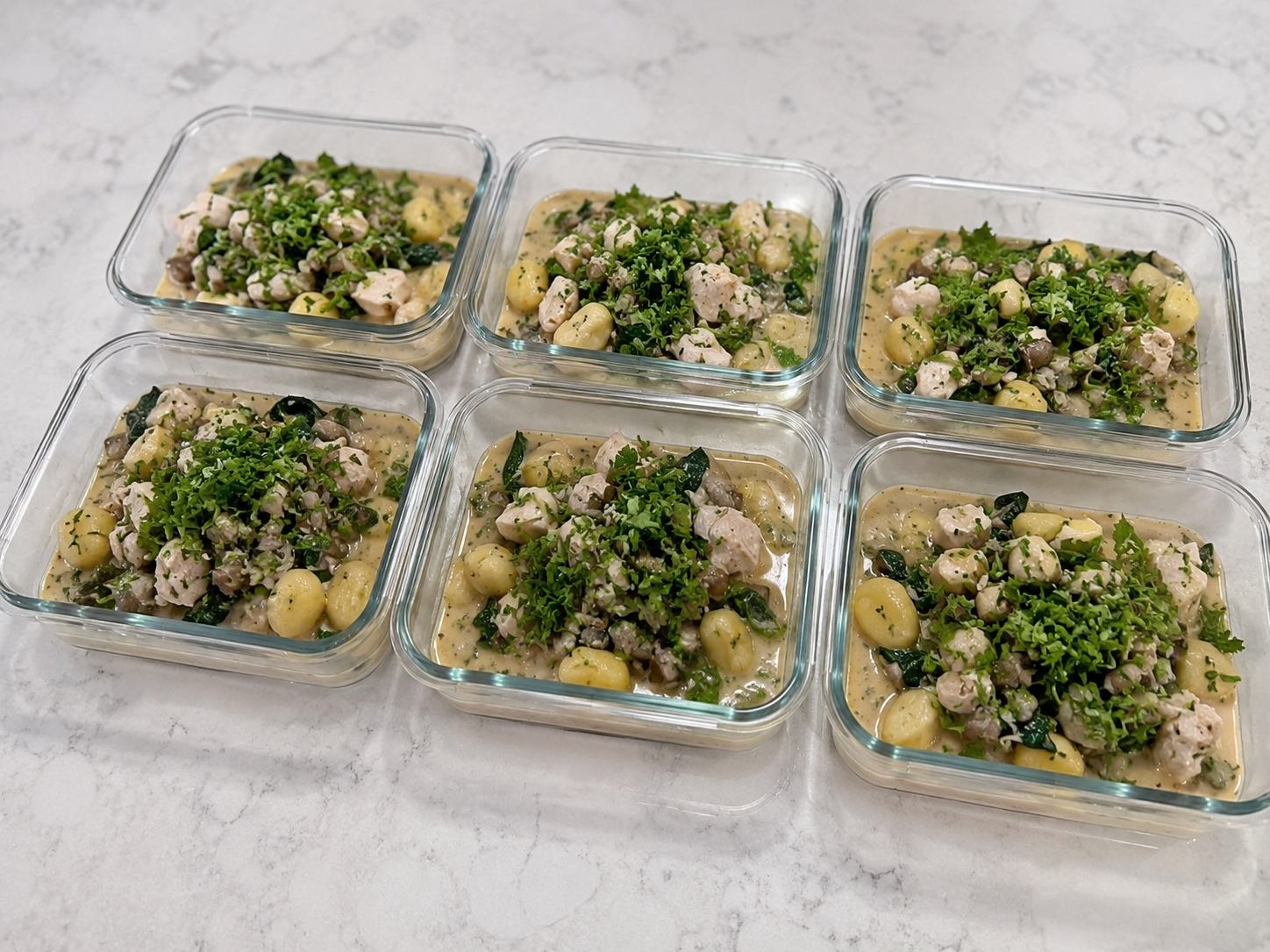
Now let’s walk through a complete example.
This meal is a chicken and gnocchi skillet with mushrooms, garlic, onion, spinach, parsley, chicken broth, and a half-and-half cream sauce.
Because it includes protein, carbs, fats, vegetables, and liquid sauce, it would be very hard to divide accurately by eye.
The goal is to divide the full cooked skillet into:
4 equal meal prep portions
Phase 1: Build the Custom Recipe Using Raw Weights
Before cooking, weigh every ingredient in its raw or unpackaged state.
Then enter the ingredients into your tracking app as a custom recipe.
Raw Ingredient Nutrition Breakdown
| Ingredient | Raw Weight / Volume | Calories | Protein | Carbs | Fat |
|---|---|---|---|---|---|
| Boneless skinless chicken breast | 600g | 720 | 138g | 0g | 15g |
| Potato gnocchi, dry or shelf-stable | 500g | 750 | 20g | 160g | 0g |
| Olive oil | 1 tbsp / 14g | 120 | 0g | 0g | 14g |
| Mushrooms, sliced | 250g | 55 | 8g | 8g | 1g |
| Yellow onion, chopped | 150g | 60 | 2g | 14g | 0g |
| Garlic, minced | 12g | 18 | 1g | 4g | 0g |
| Fresh spinach | 100g | 23 | 3g | 4g | 0g |
| Low-sodium chicken broth | 1 cup / 240ml | 15 | 2g | 1g | 0g |
| Half-and-half | 1/2 cup / 120ml | 160 | 4g | 5g | 14g |
| Fresh parsley | Handful | ~0 | 0g | 0g | 0g |
| Grand total for entire batch | — | 1,921 | 178g | 196g | 44g |
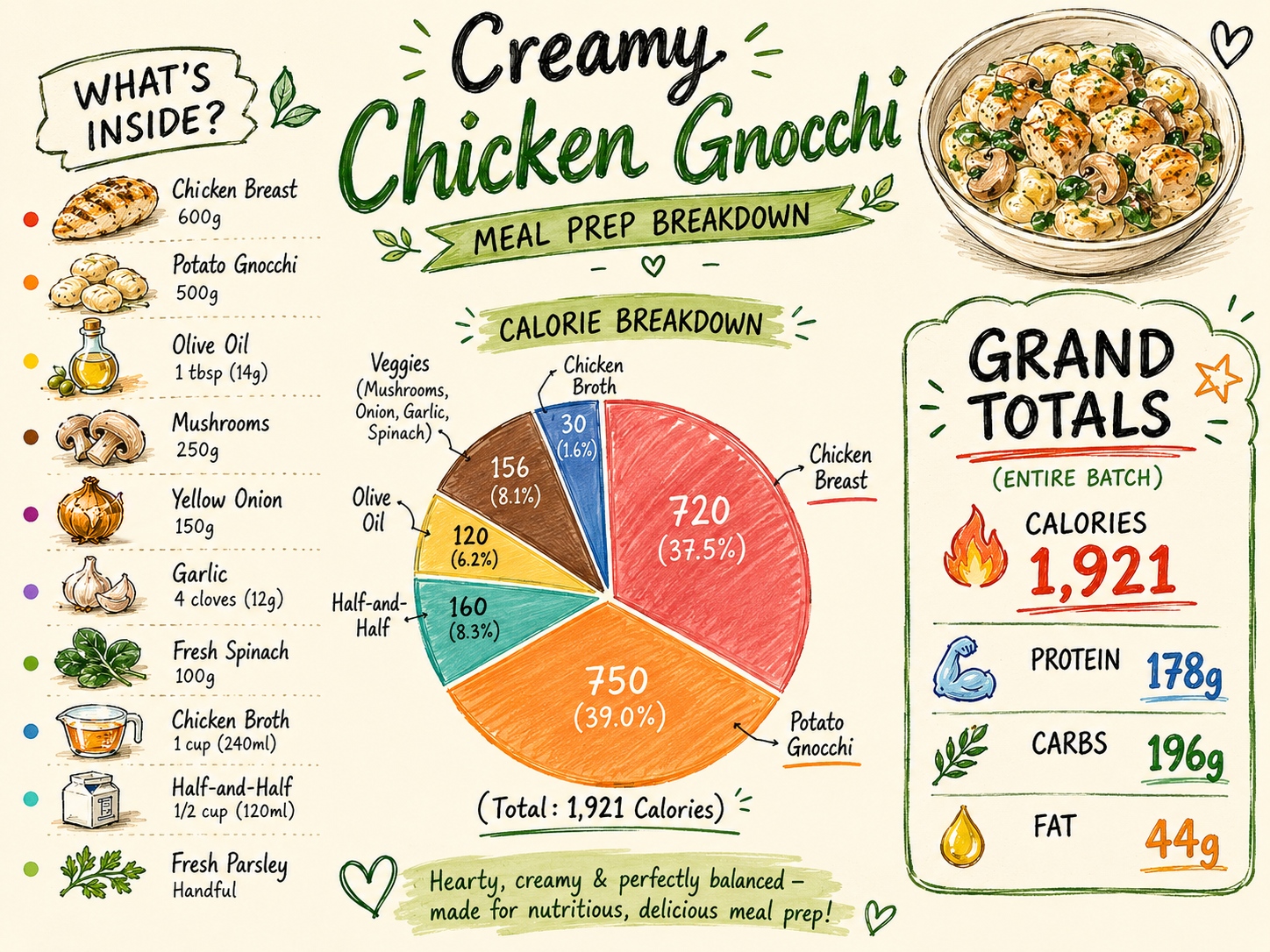
The full recipe contains:
- 1,921 calories
- 178g protein
- 196g carbs
- 44g fat
These totals are for the entire skillet.
Phase 2: Cook the Skillet and Weigh the Final Batch
Cook the meal as normal:
- Sear the chicken in olive oil.
- Remove the chicken.
- Sauté the onion, garlic, and mushrooms.
- Add the chicken broth and half-and-half.
- Simmer the sauce.
- Add the gnocchi and cook it in the sauce.
- Fold in the spinach and parsley at the end.
- Return or combine the chicken as needed.
While the meal is finishing, place a large heat-safe bowl on your scale and press Tare.
Once the skillet is done, transfer the entire cooked batch into the bowl.
Example final cooked weight:
1,400g cooked food
This is the total cooked weight of the recipe.
It may weigh less than the total raw ingredients because water evaporated during cooking.
Phase 3: Divide the Meal Into Four Equal Portions
You want 4 meals.
Use this formula:
Total cooked weight ÷ number of servings = grams per serving
For this recipe:
1,400g ÷ 4 = 350g per serving
Each meal prep container should receive:
350g of the cooked chicken and gnocchi skillet
To portion:
- Put an empty container on the scale.
- Press Tare.
- Add food until the scale reads 350g.
- Repeat for the other three containers.
Phase 4: Calculate Nutrition Per Container
Now divide the recipe’s grand totals by 4.
| Macro | Batch Total | Per Serving Calculation | Per Container |
|---|---|---|---|
| Calories | 1,921 | 1,921 ÷ 4 | 480 kcal |
| Protein | 178g | 178 ÷ 4 | 44.5g |
| Carbs | 196g | 196 ÷ 4 | 49g |
| Fat | 44g | 44 ÷ 4 | 11g |
Each 350g container has approximately:
- 480 calories
- 44.5g protein
- 49g carbs
- 11g fat
In your app, you can log one serving of your custom chicken gnocchi skillet recipe.
The 1-Gram Serving Trick
Sometimes a recipe does not divide neatly.
Maybe you planned to make 4 portions, but your containers end up weighing:
- 320g
- 355g
- 290g
- 435g
Trying to log those as fractions of a serving can be annoying.
The solution is the:
1-Gram Serving Trick
Instead of setting the custom recipe to 4 or 5 servings, set the number of servings equal to the total cooked weight in grams.
For example, if the full cooked batch weighs 1,400g, set the recipe to:
1,400 servings
Now:
1 serving = 1 gram
If one container weighs 342g, log:
342 servings of the recipe
Your app will calculate the calories and macros for that exact weight.
This is especially useful for:
- Soups
- Stews
- Pasta dishes
- Skillets
- Casseroles
- Meals with uneven portions
- Shared family-style meals
Frequently Asked Questions
1. How Do I Track Recipes That Use Marinades?
Marinades can be tricky because not all of the marinade is eaten. Some stays in the bag, bowl, or pan.
The most accurate method is the subtraction method.
Marinade Subtraction Method
- Weigh the marinade container with the liquid inside before adding the meat.
- Log all marinade ingredients in your app.
- Oil
- Honey
- Sugar
- Soy sauce
- Yogurt
- Juice
- Sauces
- Marinate the meat.
- After removing the meat, weigh the leftover marinade.
- Subtract the leftover marinade from the starting marinade weight.
- Log only the percentage actually used.
Example:
| Marinade Weight | Amount |
|---|---|
| Starting marinade | 200g |
| Leftover marinade | 100g |
| Marinade consumed/absorbed | 100g |
In this case:
100g used ÷ 200g total = 50%
So you would log 50% of the marinade calories.
Marinade Shortcut
If you do not want to do the math, estimate that meat absorbs about:
1 to 1.5 tablespoons of marinade per pound of meat
Then log that amount of oil, sugar, or calorie-containing marinade ingredients.
2. What If My Batch Makes a Weird Number of Servings?
Use the 1-gram serving trick.
Instead of forcing the recipe into 4 or 5 servings, set the number of servings equal to the cooked weight in grams.
Example:
- Cooked batch weight: 1,400g
- Recipe servings in app: 1,400
- 1 serving = 1g
Then log the exact gram weight you eat.
If your lunch is 367g, log:
367 servings
This gives you precise calories and macros without messy serving fractions.
3. How Do I Account for Spray Oils and Seasonings?
Dry Seasonings
Most dry spices are negligible in calories when used in normal amounts.
You usually do not need to log:
- Garlic powder
- Onion powder
- Paprika
- Cumin
- Chili powder
- Black pepper
- Italian seasoning
- Dried herbs
However, you may want to log seasoning blends that contain significant calories, such as:
- Sugar-based barbecue rubs
- Large amounts of taco seasoning with starch or sugar
- Glazes
- Honey-based seasonings
Spray Oils
Cooking spray is often labeled as “0 calories,” but that is usually because the listed serving size is extremely small.
If you spray a pan for a fraction of a second, the calories may be tiny. But if you coat multiple baking sheets or a large skillet, the calories can add up.
How to Measure Spray Oil Accurately
- Place the spray can on the scale.
- Press Tare.
- Spray your pan or baking sheet.
- Place the can back on the scale.
- Read the negative number.
Example:
Scale reads -6g
That means you used:
6g of oil
Since fat has about 9 calories per gram:
6g × 9 = 54 calories
Log it as 6g of olive oil, canola oil, avocado oil, or whatever type of oil spray you used.
4. How Do I Log Meat With Bones or Skin Removed After Cooking?
Bone-in meats can be more complicated because some of the weight is not eaten.
Examples include:
- Bone-in chicken thighs
- Chicken drumsticks
- Whole roasted chicken
- Turkey legs
- Bone-in pork chops
- Ribs
There are two good methods.
Method 1: Use a Raw Bone-In Database Entry
If your app has an accurate entry for the raw bone-in cut, use that.
For example:
Raw chicken thigh, bone-in, skin-on — 800g
This can work well if the database entry matches the food you are using.
Method 2: Use the Bone-Subtraction Method
If you only have boneless or skinless entries, use this approach:
- Cook the meat.
- Weigh the cooked meat before eating or portioning.
- Eat or portion the edible meat.
- Keep a small bowl on the scale for waste.
- Add bones, cartilage, and removed skin to the bowl.
- Subtract the waste weight from the starting cooked weight.
Example:
| Item | Weight |
|---|---|
| Cooked bone-in chicken | 900g |
| Bones, cartilage, removed skin | 250g |
| Edible cooked meat | 650g |
You would log:
650g cooked edible meat
using an appropriate cooked meat entry.
5. What If Food Dries Out in the Fridge or Microwave?
If food dries out after cooking, it is usually only losing water.
Water has no calories.
So if you portioned a meal at 350g on Sunday and it weighs 335g on Wednesday, the calories are still the same.
Do not reduce the calories just because the food weighs less after refrigeration or reheating.
What to Log When Reheating
| Reheating Situation | What to Log |
|---|---|
| Food dries out naturally | Log the original portion |
| You add water | No need to log |
| You add chicken broth | Usually no need to log, unless it is calorie-dense |
| You add olive oil | Log the added oil |
| You add butter | Log the added butter |
| You add cream or cheese | Log the added ingredient |
If you only add water or a splash of low-calorie broth, the nutrition does not meaningfully change.
If you add fat or calorie-dense ingredients, log those separately on the day you eat the meal.
Best Practices for Accurate Meal Prep Tracking
Use a Digital Food Scale
A food scale is more accurate than measuring cups or visual estimates.
This is especially true for:
- Rice
- Pasta
- Meat
- Oil
- Nut butters
- Cheese
- Sauces
- Dense cooked meals
A “cup” of cooked food can vary dramatically depending on how tightly packed it is. Grams are more reliable.
Log Oils, Sauces, and Calorie-Dense Extras
Small additions can change the meal significantly.
Be careful with:
- Olive oil
- Butter
- Mayonnaise
- Peanut sauce
- Cream
- Cheese
- Coconut milk
- Salad dressing
- Honey
- Sugar
- Nuts and seeds
These ingredients are easy to underestimate.
Do Not Stress Over Tiny Vegetable Differences
For most people, small differences in low-calorie vegetables are not worth obsessing over.
For example, if one container has slightly more spinach or mushrooms, the difference is usually minor.
Focus your accuracy on:
- Protein
- Starches
- Oils
- Sauces
- Dairy
- Nuts
- Calorie-dense ingredients
Mix Thoroughly Before Portioning
If you are dividing a one-pot meal, stir it well before portioning.
This helps distribute:
- Chicken
- Sauce
- Pasta or gnocchi
- Vegetables
- Oil
- Cheese
- Rice
Even though weighing portions helps, the meal still needs to be mixed evenly for each serving to have a similar macro profile.
Simple Formula Summary
Calories Per Portion
Total batch calories ÷ number of portions = calories per portion
Example:
2,400 ÷ 5 = 480 calories
Grams Per Portion
Total cooked weight ÷ number of portions = grams per portion
Example:
1,000g ÷ 5 = 200g per portion
1-Gram Serving Setup
Total cooked weight in grams = total recipe servings
Example:
1,400g cooked batch = 1,400 servings in app
Then:
1 serving = 1 gram
If you eat 342g, log 342 servings.
Ez a cikk kizárólag tájékoztató jellegű, és nem helyettesíti a szakszerű orvosi tanácsadást, diagnózist vagy kezelést. Egészségügyi aggályaival mindig forduljon szakképzett egészségügyi szakemberhez.